
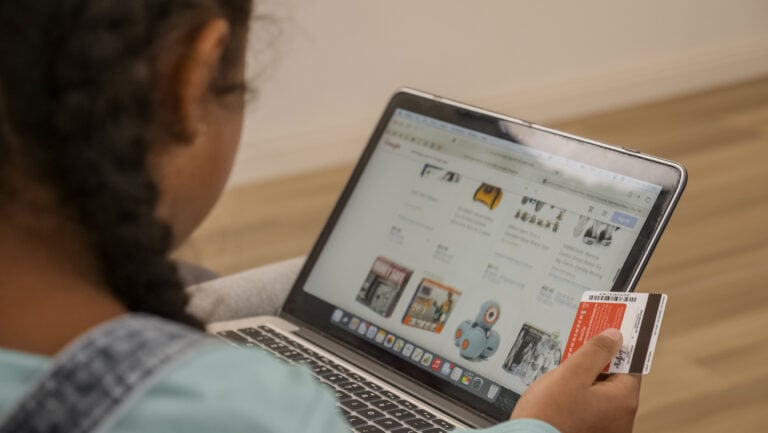
Nobody lies awake at 2 a.m. wondering whether their kid knows how to shop online. You’re thinking about the math test. The weird cough that won’t go away. Whether the soccer cleats from last season still fit.
But somewhere between bedtime and breakfast, your child figured out how to add six things to an Amazon cart without blinking. A phone case. Gel pens. Something involving slime. And buried at the very bottom like an afterthought, the one school supply they were actually supposed to be looking up.
Total: $187. Time spent deliberating: zero.
They didn’t click “Buy Now.” They just added stuff. And in their mind, adding stuff isn’t spending. There’s no window to walk away from, no cash to count, no moment to cool off. Just a button, a saved card, and a confirmation email waiting to happen.
This isn’t one kid being sneaky. According to PwC’s 2026 consumer survey, 61% of parents give their children some level of direct participation in online shopping. In a separate PwC study of kids ages 7 to 14, nearly one in four said they independently order items through shopping apps. Only 19% of their parents reported the same thing.
We’ve gotten good at teaching kids to save. But the spending they’re actually doing isn’t happening with crumpled bills at a register. It’s happening on screens, inside apps built to make buying feel like nothing at all.
So the question isn’t whether your kid will shop online. They already are. The question is whether anyone has taught them how to spend.
In This Article
Why Tapping a Screen Doesn’t Feel Like Spending
Hand a kid a $20 bill and ask them to give it to a cashier. They feel it. The crispness of the paper, the act of letting go, the smaller number in their pocket afterward. There’s a real, physical sense of something leaving.
Now hand that same kid a tablet with your card already saved. They tap. A wheel spins. A little checkmark appears. Done.
Nothing left their hands. Nothing changed in their pocket. The money moved, but they didn’t feel it move. And that’s not a small distinction. That’s the entire reason digital spending is so hard to manage, for kids and for the rest of us.
Researchers call this the “pain of paying,” and it’s exactly what it sounds like. Cash hurts a little. You watch it leave. You count what’s left. Credit cards dulled that feeling. Phones dulled it further. And saved payment methods, one-tap checkout, autofilled card numbers? They’ve basically eliminated it. Kids who’ve grown up in this system never had the chance to build a connection between tapping a screen and money actually disappearing. To them, the cart is just a list. The checkout button is just a button.

The Vanishing Wait
The distance between wanting something and owning it used to be measured in days, sometimes weeks. A kid would see a toy at a store, ask for it, get told “maybe for your birthday,” and sit with that wanting for a while. That wait did real work. It taught patience. It built the muscle for deciding whether something was worth it after the excitement wore off.
Social media collapsed that distance to almost nothing. PwC found that kids are discovering products on social platforms, following trends, and building wish lists that land directly in digital carts. See it on TikTok. Tap through. It’s in the cart. It arrives Tuesday. The friction that used to slow kids down and give them space to reconsider just isn’t part of the process anymore.
And here’s the part that should take some of the pressure off: adults are terrible at this too. Impulse purchases account for close to 40% of all online spending. Not kids. Everyone. Grown adults with decades of experience and fully developed brains still can’t resist a countdown timer and a free shipping banner. So if you’re wondering why your nine-year-old can’t self-regulate their online spending without help, that’s why. They’re up against the same psychological machinery that gets the rest of us, except they have fewer tools, less experience, and no context for what any of it actually costs.
Money habits are set by age 7. That’s not a scare tactic. It’s just a fact, and it means the digital spending habits your child is forming right now are taking root whether anyone is actively shaping them or not.
So what exactly are kids running into when they shop online? More than most parents realize.
Five Digital Spending Traps Your Kid Has Probably Already Hit
None of these are obscure. None of them require your kid to be doing anything unusual. They’re baked into the platforms, the apps, and the checkout flows your child is already using. Here’s what to watch for.
“Add to Cart” Doesn’t Feel Like Spending
This is the most basic trap, and it catches adults just as often. Saved payment methods erase every speed bump between wanting something and owning it. Two taps. That’s the entire distance. There’s no line to wait in, no cash to count out, no moment where your kid has to hand something over and feel it leave. The money moves, but it moves silently, behind a screen, attached to a card number they probably didn’t type in themselves. To a kid, adding something to a cart feels about as consequential as adding a song to a playlist.
Free Trials That Aren’t Free
Your kid downloads a game. It’s free. A little box pops up: “Try Premium Free for 7 Days.” They tap yes because of course they do. Nothing happens. No charge. No notification. And then thirty days later, there’s a $9.99 charge on your credit card that nobody remembers signing up for.
In-app purchases make this worse. V-Bucks, Robux, gems, coins. The currency inside these games isn’t even called dollars anymore. That’s not an accident. When a kid spends 500 coins instead of $5, the money doesn’t feel real because it doesn’t look real. They’re not spending. They’re just playing. Except they are spending, and the charges are very real.
Social Media Is a Shopping Funnel Now
TikTok Shop. Instagram ads. Influencer discount codes. YouTube haul videos where someone their age unboxes twelve packages on camera. The line between content and commerce basically doesn’t exist anymore on these platforms.
Product discovery and checkout happen inside the same app. A kid never has to leave TikTok to buy what TikTok just showed them. Research shows that social media impulse buyers spend an average of $754 a year on products they discovered through platforms. Those numbers are about adults, but kids are scrolling the same feeds, seeing the same algorithm-driven recommendations, absorbing the same “you need this” messaging. The only difference is they have less experience recognizing it for what it is.
Scams That Don’t Look Like Scams Anymore
This one is getting harder, not easier. The risks aren’t limited to shopping sites. Between October 2025 and January 2026, hackers gained access to more than 610,000 Roblox accounts in a scheme involving malware disguised as game-enhancement tools. It’s a powerful reminder that kids need to learn to recognize suspicious links, downloads and offers online. The old tells are gone. Bad grammar, pixelated logos, sketchy URLs. Scam sites in 2026 look professional. They look real. And if you haven’t walked your kid through what to check before buying from a site they’ve never used, they have no way to tell the difference.
A deal that seems too good to be true still is. But it takes a lot more effort now to spot the ones that are faking it.
The “It’s Not Real Money” Illusion
This is the trap underneath all the other traps. Gift cards. Game currency. Stored card numbers. Apple Pay. Each layer of abstraction between your child and their actual money makes spending feel less concrete. A kid who earned $10 doing chores and then held that $10 bill in their hand has a very different relationship with that money than a kid who sees a number on a screen tick down from 10 to 0.
Both kids spent the same amount. But only one of them felt it.
When money never feels real in the first place, spending it doesn’t feel like a decision. It feels like nothing. And that’s the core problem this entire article is really about. Not scams, not subscriptions, not even impulse buying. The root issue is that digital money is invisible, and invisible money is easy to spend without thinking.
Real Parent Experience
A parent on Reddit:
“My 5-year-old son bought $200 worth of Robux without my knowledge. He bought 25 thousand Robux without me knowing and spent some. He has a little more than 18,000 left. How do I go about trying to get a refund? That was my town bill! I’d gladly pay what he used but I cannot afford this right now. Not with our bill due and Christmas literally 24 days away.”

How to Teach Your Kid to Spend Wisely Online
Teaching kids to spend wisely online comes down to three things: make the money visible, build in a pause before every purchase, and let them practice with real decisions while the stakes are still small. The specifics look different depending on your child’s age, but the core idea stays the same across all of them.
| Age | Key Skill | Try This |
| 3-5 | Understanding that money leaves | Narrate your purchases out loud |
| 6-8 | Pausing before buying | The 3-day wish list rule |
| 9-11 | Comparing and budgeting | Let them manage a real purchase |
| 12+ | Scam literacy and audits | Monthly subscription check together |
Ages 3 to 5: Shop-Along Narration
At this age, kids don’t need real money. They need to hear you think out loud. When you’re buying something online, narrate what you’re doing. “I’m looking at two different ones. This one costs more, but it has better reviews. I’m going to pick the one that fits our budget.”
It sounds almost too simple. But what you’re really doing is making the invisible visible. You’re showing them that buying involves choosing, comparing, and deciding. That money leaves when you click. That the cart isn’t just a collection of fun things. It’s a commitment.
At this age, focus on:
- Pointing out prices when you shop online together
- Explaining why you picked one item over another
- Showing them the “total” before you click buy
- Talking about what you’re saving for as a family
Tools like the My First Nest Egg app give little kids a concrete sense that money is limited. When they can see a saving goal and watch it grow, they start to understand that money is something you build up over time, not something that appears whenever you want it to.

Ages 6 to 8: The Wish-List Pause
This is the age to introduce the single most powerful habit in online spending: the pause.
Teach them the “add it to the list, wait three days” rule. If they still want it after three days, sit down together and talk about whether it fits their budget. If they’ve forgotten about it entirely, even better. That’s the lesson teaching itself.
Online shopping is specifically engineered to eliminate this pause. One-click buying. “Only 3 left in stock.” Countdown timers. Every design choice is built to move people from wanting to buying as fast as possible. Teaching a kid to stop, wait, and reconsider is a skill that will serve them for decades. When a child can sit with wanting something and still choose to wait, that’s not just money management. That’s self-regulation.
Many families find it helpful to:
- Keep a running wish list on paper or in a notes app
- Review the list together at the end of each week
- Let the child cross off things they no longer want
- Celebrate the items they chose not to buy
Saving goals and chore puzzles in the My First Nest Egg app make delayed gratification something kids can actually see. They watch their progress build toward something they picked for themselves, which is the direct opposite of grabbing whatever catches their eye in the moment.
Ages 9 to 11: Price Comparison and Real Budget Practice
This is where it gets hands-on. Give your child a real purchase to manage. Something they actually want, with a set budget, and let them do the work.
At this age, your child can practice:
- Finding the same item on three different sites
- Comparing prices including shipping costs
- Reading reviews before buying
- Checking return policies
- Calculating whether they can afford it from their savings
The purchase itself matters, but the conversation afterward matters just as much. Did they find it cheaper somewhere? Did they almost buy something else and change their mind? Did the reviews say anything that surprised them? These are the reps. This is how spending skills actually develop, not through lectures but through doing it and talking about what happened.
The My First Nest Egg app connects what kids earn with what they save and what they can afford, so when they sit down to manage a real purchase, the budget is rooted in effort they actually put in. That connection between work and spending is one of the most important financial lessons a kid can learn, and it’s one that digital money makes very easy to skip.
Related article: Needs vs. Wants: The Money Lesson Every Kid Should Learn First
Ages 12 and Up: Scam Literacy and Subscription Audits
By this age, kids are ready for the harder stuff. Teach them what a phishing email looks like. Show them how to check whether a website is legitimate. Talk through what fake reviews look like and why a deal that seems impossibly good probably is.
Start a monthly subscription check. Sit down together, pull up every app, and look at what’s charging. What’s actually being used? What got forgotten three months ago and has been quietly billing ever since? This is a real-world skill that most adults still don’t practice consistently, so doing it together benefits everyone.
This is also the right age to:
- Walk through a real scam email together and point out the red flags
- Show them how to check a website’s URL and look for the lock icon
- Talk about buyer’s remorse as a normal part of spending, not a failure
- Discuss returns: when they make sense, how they work, what you can learn from them
The My First Business challenge that My First Nest Egg runs every summer helps kids at this age understand value from the other side of the transaction. When you’ve earned money through your own work, when you know what it takes to create something and sell it, you think twice before spending carelessly. That shift in perspective changes everything.
Four Questions to Ask Your Kid This Week
You don’t need a curriculum for this. You don’t need a family meeting or a whiteboard or a spreadsheet. You just need one good question at the right moment. Pick one and try it this week.
1. “Before you click buy, tell me three things about this: the price, whether you’ve checked anywhere else, and what you’d give up to afford it.”
2. “Let’s do a subscription audit. Open every app on your phone and let’s figure out which ones are actually charging.”
3. “You’ve got $20 from your savings goal to spend. Show me how you’d use it, and show me what stays saved.”
4. “How did you find out about this? Was it an ad, an influencer, or someone you actually know and trust?”
These conversations don’t need to be long. They don’t need to be formal. They just need to happen. And they work best when they’re tied to a real moment, not a hypothetical one. The next time your kid asks to buy something online, that’s your opening.
Your kid is already shopping online. That’s not a crisis and it’s not a failure. It’s actually one of the best teaching opportunities you’ll get, because the lessons stick when real money is involved and real choices are on the table.
You don’t need to be a financial expert to do this well. You don’t need a background in economics or a perfect track record with your own spending. Small conversations during a real purchase teach more than any lecture ever could. The goal isn’t getting it perfect every time. It’s building the habit of talking about money while money is actually being spent.
If you’re looking for a way to help your child connect earning, saving, and spending before they ever tap “buy” on their own, My First Nest Egg gives families the tools to build those habits together. Age-appropriate, kid-tested, and designed to make financial literacy feel like something your child actually wants to do. Download the free app today.
Frequently Asked Questions
What age should kids start shopping online?
There’s no single right age, but kids as young as three can start learning the concepts behind online spending. At that age, it’s really about watching you shop and hearing you talk through your decisions out loud. By six or seven, many kids are ready to practice the “wish-list pause” and start thinking about whether a purchase fits their budget. Independent online shopping, with guardrails and check-ins, usually makes sense around 12 or 13.
How do I stop my kid from impulse buying online?
The wish-list pause is the simplest tool that actually works. When your child wants to buy something, have them add it to a list and wait three days. If they still want it after that, sit down and talk about whether it fits their budget and what they’d skip to afford it. The goal isn’t to say no to every purchase. It’s to put space between the impulse and the action so they can practice making a real decision instead of a reactive one.
Should I give my child access to my credit card for online purchases?
Many families find it works best to start with supervised access rather than open access. You might let your child pick out what they want and then complete the checkout together, so they can see the full price including shipping and tax. As they get older and demonstrate responsible habits, you can gradually give them more independence.
How do I teach my child to spot online scams?
Start with the basics: if a deal looks too good to be true, it almost certainly is. Show them how to check for secure sites (the lock icon and “https” in the URL). Teach them to check the exact web address, research unfamiliar sellers, read reviews critically, and be suspicious of deals that seem too good to be true. Teach them to read reviews critically and look for patterns that suggest fake feedback. Walk through what phishing emails look like and why they should never click links in messages from senders they don’t recognize. The FTC’s guide to protecting kids online is a helpful resource for families. The most effective approach is practicing together. Pull up a real website and ask them what they notice. Over time, they’ll start spotting red flags on their own.
Is online shopping actually good for teaching kids about money?
It can be, if you use it intentionally. Online shopping gives kids the chance to practice comparison shopping, budgeting, reading reviews, and making tradeoffs, all skills that transfer directly to adult financial life. The risk is when it happens without any conversation around it, because then the only lesson kids learn is that buying things is fast, easy, and painless. The difference between online shopping as a teaching tool and online shopping as a spending free-for-all comes down to whether someone is helping your child think through what they’re doing.
